If you have been refreshing your phone every few hours for GTA 6 news, you are not alone. Grand Theft Auto VI is now just days away from launch, and the internet is full of trailers, screenshots, rumours and live streams. The problem? Half of it is noise, and some of it is straight-up dangerous (hello, fake APK files).
So which apps are actually worth installing to watch GTA 6 content properly? This guide breaks it down in plain language: where to watch the official trailers, where to follow live streams, and how to read leaks without getting fooled.
Quick Answer: Which App Should You Use?
- For official trailers and gameplay: YouTube (Rockstar Games’ own channel)
- For the Extended Look gameplay special: Netflix, or YouTube if you do not have a subscription
- For live streams and launch-day reactions: Twitch and YouTube Live
- For official announcements the second they drop: X (formerly Twitter)
- For community discussion and leak analysis: Reddit
GTA 6: Where Things Stand Right Now
Before we get to the apps, a quick reality check, because a lot of old articles are still floating around with outdated information.
- Release date: Rockstar’s official GTA VI website lists the game for November 19, 2026.
- Platforms: PlayStation 5 and Xbox Series X|S. There is no PC date confirmed yet, and no mobile version has been announced.
- Preloading: Digital pre-orders can start preloading on November 12, 2026, a week before launch.
- Trailers so far: Trailer 1 arrived in December 2023 and Trailer 2 in May 2025. Then, on August 27, 2026, Rockstar released Grand Theft Auto VI: An Extended Look, a roughly 26-minute gameplay-focused video that premiered on Netflix first and reached YouTube and Rockstar’s own site later the same day.
For a full timeline of how the project evolved, the GTA VI Wikipedia page is a useful reference, though always cross-check the latest details with Rockstar directly.
1. YouTube: Best Overall App for Official GTA 6 Trailers
If you only install one app for this, make it YouTube. Rockstar publishes its trailers on its official YouTube channel, which means you always get the original, uncompressed upload instead of a random re-upload.
Why it works well
- Highest available quality (up to 4K on supported videos) and smooth playback on most phones
- Auto-generated captions, handy when you want to catch dialogue in a noisy room
- Subscribe and turn on the bell icon so you get notified the moment a new upload goes live
- Playback speed and frame-by-frame scrubbing on desktop help you spot small details fans love to analyse
Things to keep in mind
- Switch quality to 1080p when you are on mobile data. 4K video eats through a daily data pack faster than you would expect.
- Search results are full of “Trailer 3 LEAKED” clickbait. Stick to the verified Rockstar channel.
Best for: Everyone. It is free, fast and official.
2. Netflix: Where the GTA 6 Extended Look Premiered
This one surprised a lot of people. Rockstar partnered with Netflix to debut the Extended Look first, and the streaming app still hosts it. If you already have a subscription, watching it there is simple and ad-free.
Why it works well
- Clean, ad-free viewing with no recommendation clutter
- Easy to cast to a smart TV, which is the best way to appreciate gameplay footage
- Downloads for offline viewing, useful if your connection is patchy
Things to keep in mind
- Video quality depends on your plan, so lower-tier plans may not give you the sharpest picture on a big screen.
- Do not want to subscribe? The same Extended Look was later made available on YouTube, so you are not locked out.
Curious how we check apps before recommending them? Browse our hands-on app review library to see what we test.
Best for: People who already pay for Netflix and want the best home-theatre experience.
3. Twitch: Best App for GTA 6 Live Streams
When launch day arrives, Twitch is where the energy will be. Expect big creators streaming their very first hours in Vice City, along with chat communities reacting in real time.
Why it works well
- Live chat makes it feel like a watch party rather than a solo video
- Easy to follow multiple streamers and get a notification when they go live
- Clips let you rewatch the best moments without sitting through hours of footage
Things to keep in mind
- Streams can be long and chaotic. Use the “following” tab to cut through the noise.
- Chat can contain spoilers. If you are saving the story for your own playthrough, turn off chat or mute keywords.
Best for: Live reactions, launch-day hype and discovering new creators.
4. YouTube Live: The Easiest Alternative to Twitch
You do not need a separate app for this. The same YouTube app you already have also carries live streams, and many big gaming creators go live there too. Because the app is already on your phone, it is the lowest-effort way to catch a stream.
Why it works well
- No extra download or new account
- Live chat replay and rewind, so you can jump back if you missed something
- Strong discoverability for Hindi and regional-language gaming creators
Best for: Viewers who want live content without managing another app.
5. X (Twitter): Fastest Source for Official Announcements
Rockstar has historically used its social channels to announce major updates, so following its official account is the quickest way to hear about a new trailer, release news or launch details. Keep notifications on only for that one account to avoid drowning in rumour threads.
Why it works well
- Official posts appear first, usually before news sites write about them
- Good for spotting verified information early
Things to keep in mind
- Rumour accounts copy Rockstar’s style. Always check the handle and the verification before you share anything.
Best for: Getting news the moment it is real.
6. Reddit: Best App for Community Discussion (With Caution)
Reddit is where fans dissect every frame of a trailer, compare theories and debate what is real. It is genuinely useful for context, but it is also where unverified claims spread fastest.
Why it works well
- Frame-by-frame breakdowns and fan-made timelines
- Discussions that explain why a detail matters
Things to keep in mind
- Treat anything labelled a “leak” as unconfirmed until Rockstar or a reputable outlet confirms it.
- Use spoiler tags and filters to avoid ruining story moments.
Want more honest app guides after this one? Head to our App Reviews section.
Best for: Discussion and context, not for treating as a source of truth.
How to Handle GTA 6 Leaks Without Getting Fooled
GTA 6 has already had its share of leaks, including a major one back in 2022 and gameplay leaks that Rockstar itself addressed ahead of the Extended Look. The hype around the game makes it a magnet for fakes. Here is a simple checklist we follow:
- Check the source. Is it Rockstar, Take-Two or an established gaming outlet? Or a brand-new account with a flashy name?
- Look for confirmation. Real news is rarely a single anonymous post. If nobody credible is repeating it, be sceptical.
- Beware of dates. “Trailer 3 drops tomorrow” posts have been wrong many times before. If there is no official announcement, treat it as a guess.
- Watch for AI and edited clips. Fake footage and recycled audio get shared as “leaked gameplay” all the time.
- Do not download anything. No official GTA 6 app or APK has been announced. Any file claiming to be “GTA 6 for Android” or a “leaked build” is almost certainly malware or a scam.
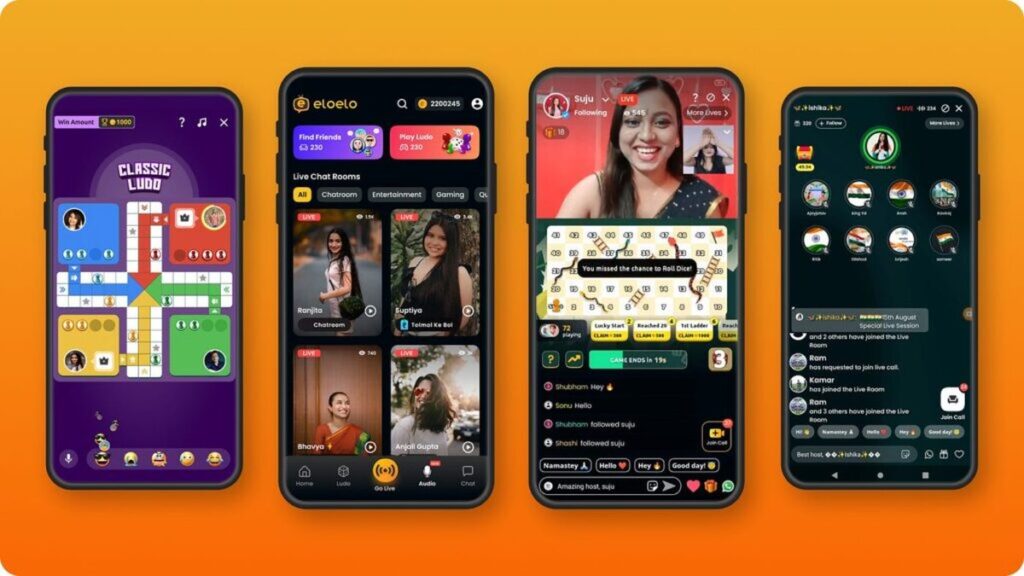
That last point matters most. Stay away from random APKs and download only from the Play Store or App Store. Misleading ads are a common trick, and we have broken down one such case in our Elo Elo app review. Reading the terms before you install matters too, which is exactly what we did in our Seekho fine-print check.
Tips to Watch GTA 6 Content Without Burning Your Data
- Download videos on Wi-Fi first when the app supports offline viewing
- Lower the stream quality to 720p or 1080p on mobile data
- Turn off autoplay so you do not watch extra videos by accident
- Cast to a TV for the best picture instead of watching everything on a small screen
On a student budget too? Our list of top 10 must-have apps for college students has more useful apps for your phone.
Quick Comparison Table
| App | Best For | Cost | Official Content |
| YouTube | Trailers, gameplay, notifications | Free (Premium optional) | Yes, Rockstar’s channel |
| Netflix | Extended Look in a clean viewing experience | Paid subscription | Yes |
| Twitch | Live streams and reactions | Free | Creator content |
| YouTube Live | Live streams without a new app | Free | Creator content |
| X (Twitter) | Official announcements | Free | Yes, Rockstar’s account |
| Discussion and theories | Free | Community content |
Frequently Asked Questions
Where can I watch the GTA 6 Extended Look?
It premiered on Netflix on August 27, 2026, and it is also available on Rockstar’s YouTube channel and official website.
Is there an official GTA 6 mobile app?
No. GTA VI has been announced for PlayStation 5 and Xbox Series X|S only. Be careful with any app or APK that claims otherwise.
Which app is best for GTA 6 live streams?
Twitch is the most popular choice for live gaming, but YouTube Live is just as good and requires no extra app.
Are GTA 6 leaks real?
Some leaks have been real, but many viral ones are fake, edited or recycled. Wait for confirmation from Rockstar or a trusted outlet.
When does GTA 6 release?
November 19, 2026, with preloading for digital pre-orders starting November 12, 2026.
Will GTA 6 come to PC?
A PC version has not been confirmed yet. Check Rockstar’s official channels for updates.
Final Verdict
For most people, the simplest setup works best: YouTube for official trailers, Netflix if you want the Extended Look in a premium experience, Twitch or YouTube Live for live streams, and X for news you can trust. Use Reddit for the conversation, but keep your scepticism switched on.
GTA 6 launches soon, and the hype will only get louder. Follow official sources, avoid sketchy downloads and enjoy the ride. Bookmark Appreview.in for more honest app guides and updates.